
Won an auction for this very rare peripheral for X68000 a while back.

This thing cost a massive 450,000yen at launch back in 1990, with each disk costing 30,000 additional yen… but they could hold 594MB of data, which was pretty insane back then, considering the X68000 HDD’s were more like 40MB.

It reads 5.25″ MO Disks, and they need to be 512 byte / sector with a total max size of 594MB (spread across two sides) to work. I tried some large MO disks and they did not work.
The ones sold with it back then were JY-701MPA, but I haven’t been able to trace down any of those.
The one’s I have that I managed to get working are Sony EDM-1DA1, but I’m sure other models would work too as long as having correct specs.
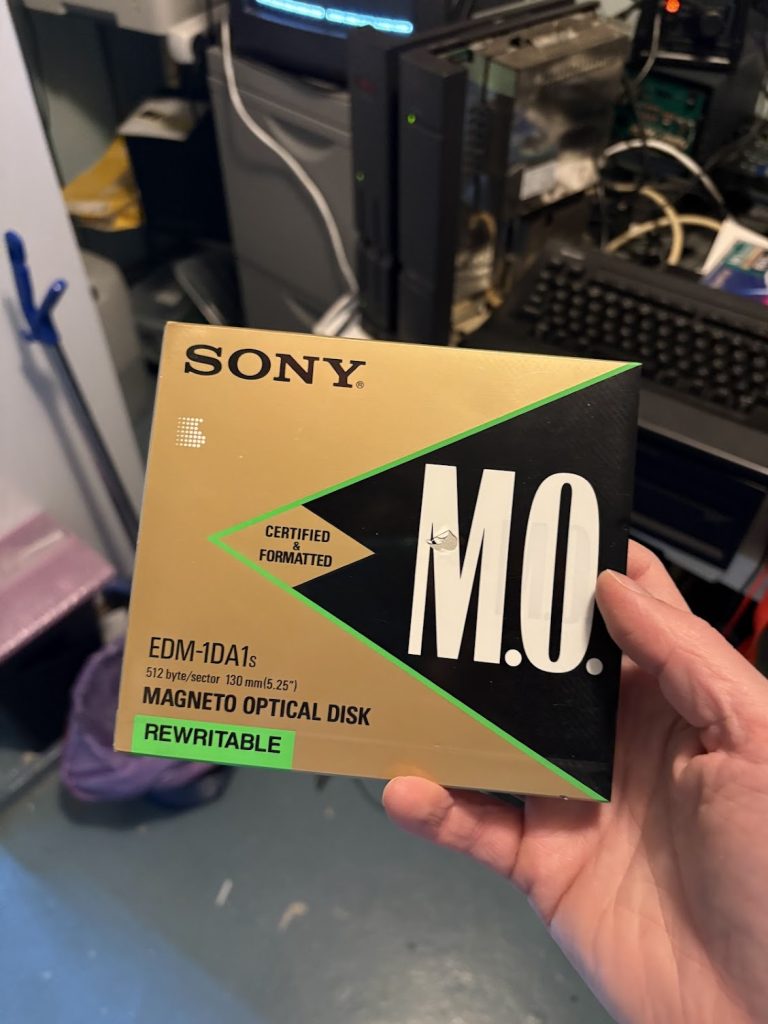
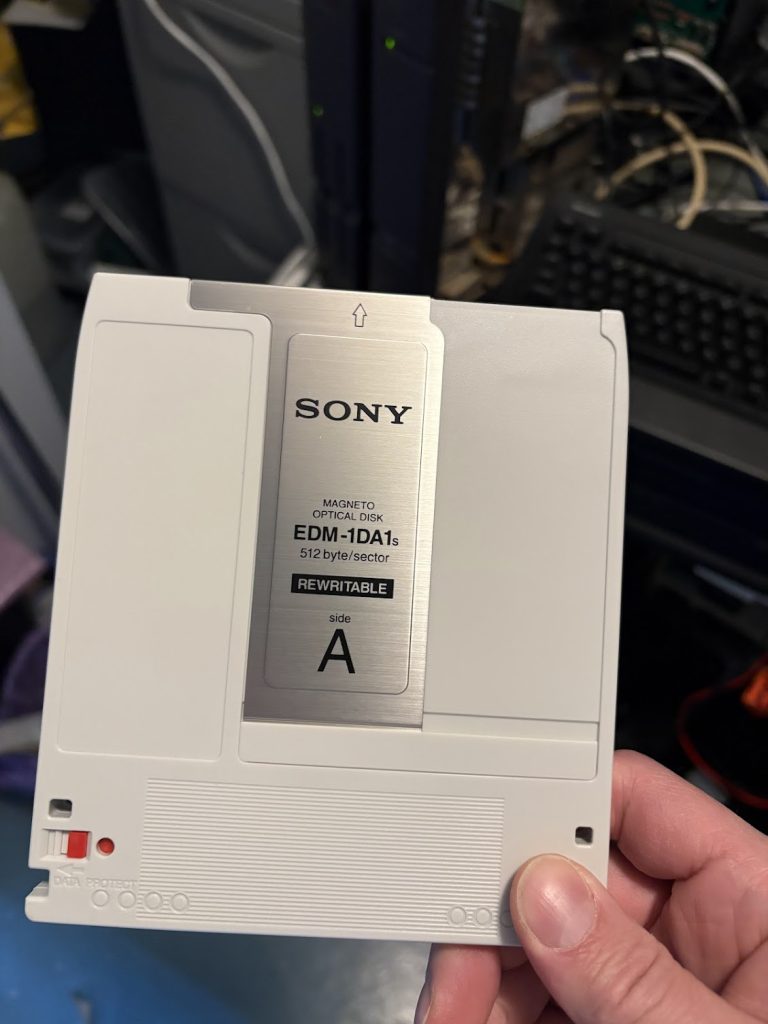
Setup
- Connect the device to a SCSI port on your machine. SASI devices will need a SCSI expansion card.
- Load a MO disk and power on machine and disk drive.
- Boot a Master Disc floppy
- Run
cd sxsi
scsiformat
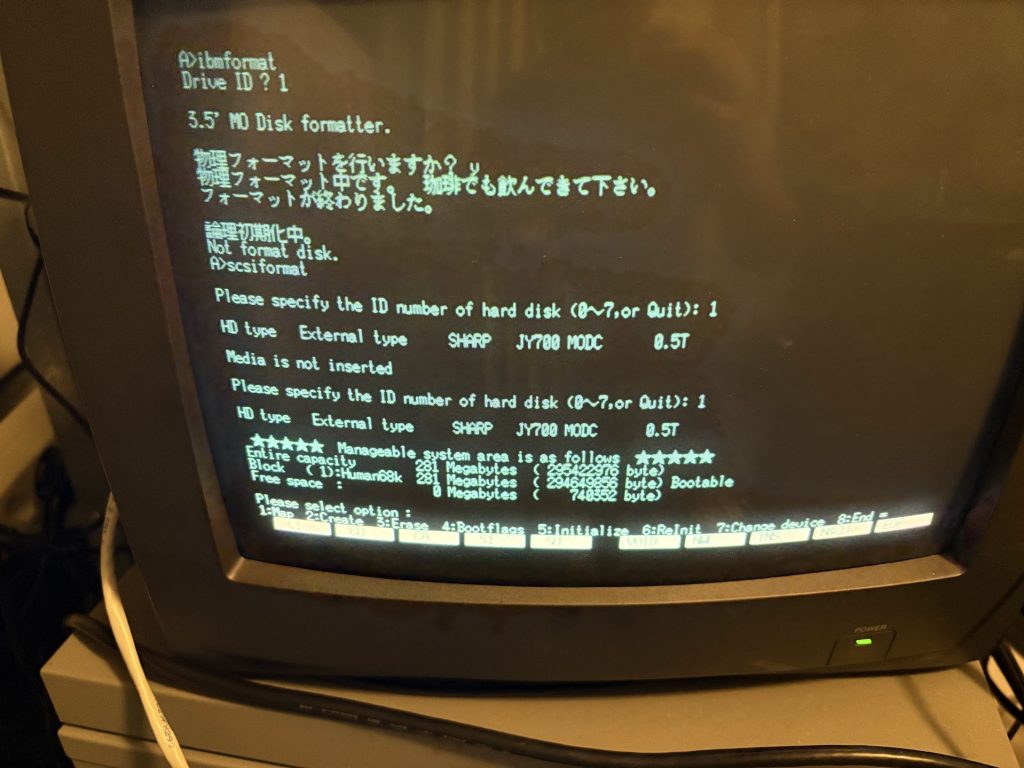
In SCSI format you want to do the following things:
- Initialize disk (5)
- Don’t do the low level format, just initialize.
- Create a partition (2)
- Use maximum available size
- If you want to boot from it: Make it bootable by going into Bootflags (4)
- Repeat for other side of Disk
It should look something like this when done:
Boot from it
To test booting from it, after making the partition bootable, I just copied the master disk contents to the MO disk with
A>COPYALL *.* C: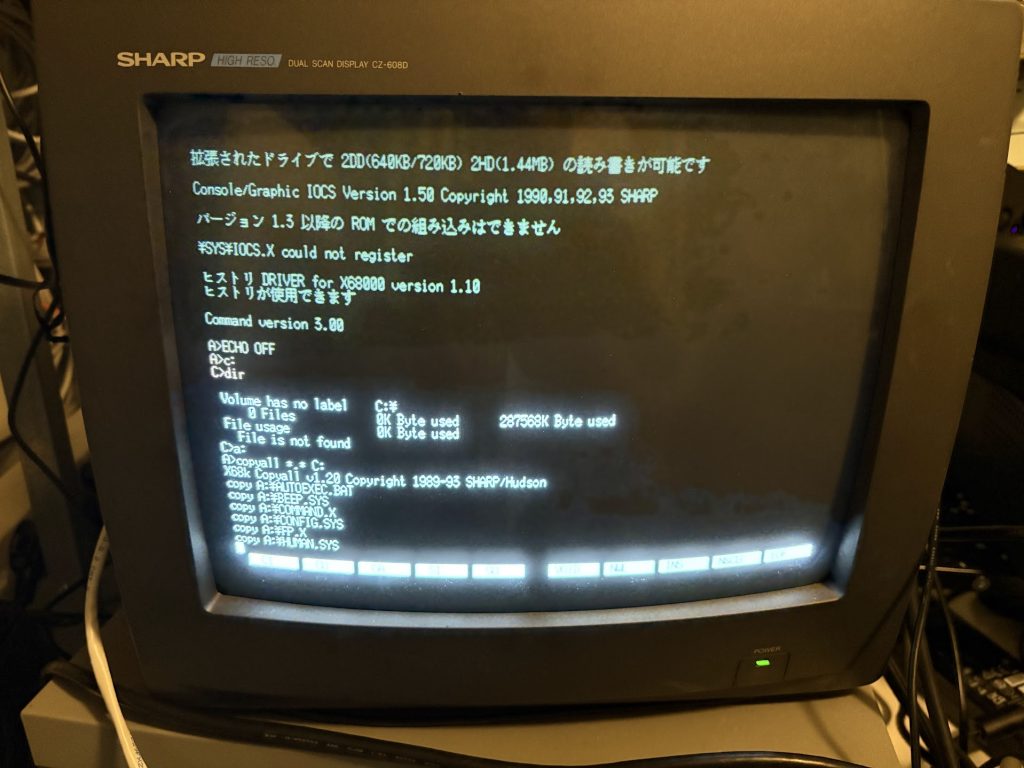
Then run SWITCH.X and set the machine to boot from SCSI ID 1. Works!
Unfortunately this thing has a vague fish smell from bad caps, so I need to go through and recap it now, which should be a fun project.